A sustainability tracker for the person inside TFG who has to answer one question all year.
Are we going to hit our 2030 targets?
01 / Context
TFG publishes its progress against 2030 targets once a year, across five programmes and three territories.
TFG is a JSE-listed retailer with more than 30 brands across South Africa, the UK and Australia. Every year it publishes the Inspired Living Report: progress on five community programmes, from clean water access to youth employment, plus environmental metrics for each territory.
This was an experiment in how fast I can get to an MVP by directing AI rather than building alone. One week, from a blank page to a working prototype. Everything below is the decision trail: what I asked for, what I kept, and what I threw out.
02 / The problem
The report comes out once a year, but the question it answers gets asked all year.
Behind that polished report is a manual machine. Five programmes, three territories, and six or more reporting frameworks all funnel into one small team. Data arrives by email, in spreadsheets, in different formats. Between reporting cycles there is no current view. If a board member asks in February how the clean-water target is tracking, the honest answer is "let me pull that together." Pulling it together means restarting the whole exercise.
So I designed for one thing: to know where we stand right now, without having to ask.
03 / The scale of it
Six or more reports a year, one small team, and no current view of progress in between.
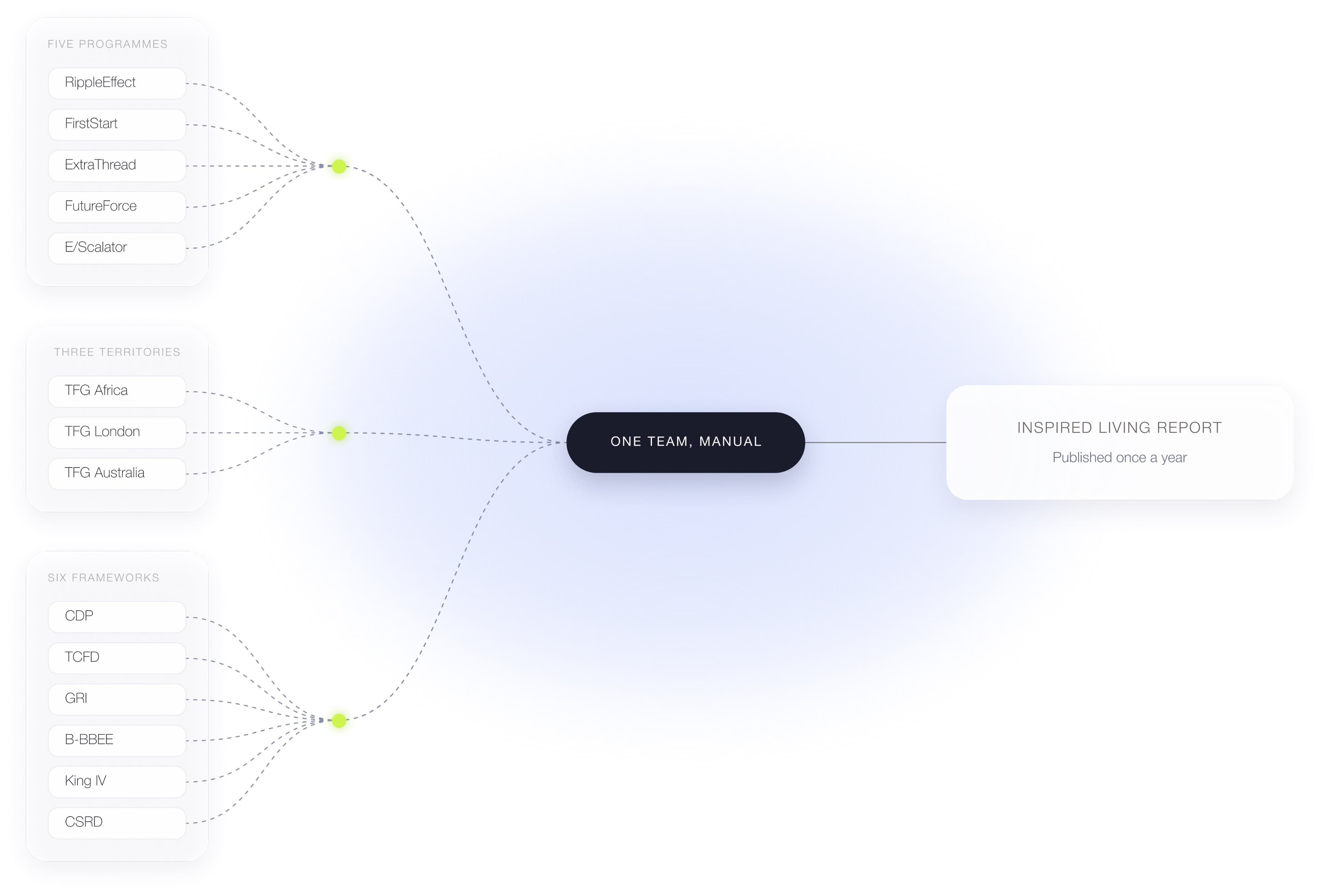
From the 2025 Inspired Living Report and TFG's public disclosures.
04 / The research constraint
I ran the user interview without a user, on public material only.
This project runs entirely on public material: the Inspired Living Report, TFG's CDP and TCFD disclosures, their governance reports, plus research into how comparable retailers run their reporting.
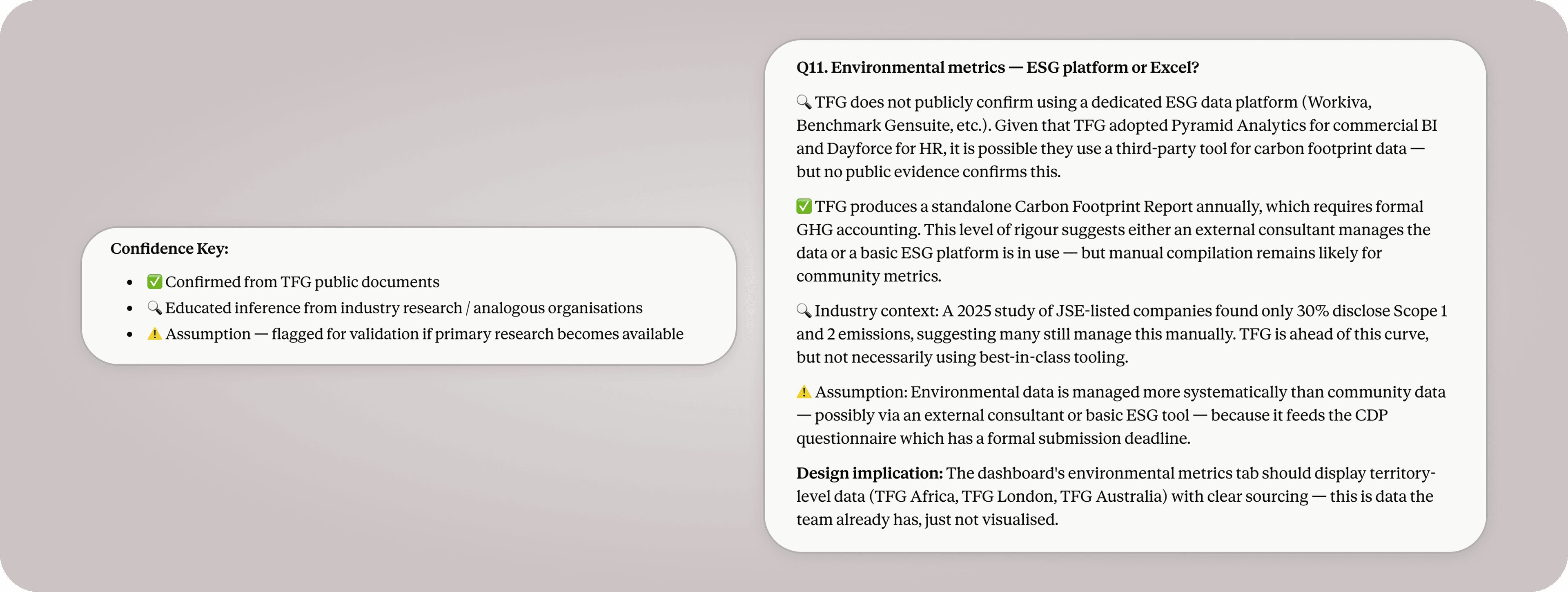
So I had the models build me the interview I could not run. Every question worth asking a sustainability manager: their week, their tools, their reporting cycle, what they are afraid of. Then I put the models to work answering them from public material only, pressure-testing each answer against what TFG actually discloses. My rule was that nothing came back unlabelled.
05 / Three labels
Every finding was labelled by confidence level, which determined how I could use it.
TFG publishes six-plus sustainability reports a year, all from a small team
→ The core problem: heavy manual reporting, no current view between cycles.
A sustainability manager’s most-wanted thing is progress against targets without launching a fresh data pull
→ The product’s reason to exist.
Community data likely arrives once a year from partners, not as a live feed.
→ A rule in the interface: every metric shows its source, cadence, and last-updated date. The prototype never pretends data is fresher than it is. If that assumption is ever proven wrong, only the provenance layer changes, not the product.
Unconfirmed assumptions were labelled and built around, not hidden.
06 / What the research changed
Four things the research changed in the interface.
The data arrives once a year
Programme data is compiled once a year at March year end. I had been designing toward a live-data feel, which was misleading. “Last updated” became a required element on every metric, and nothing in the interface implies a live feed.
Territories are measured against their own targets
TFG Africa’s footprint dwarfs London and Australia on scale alone. Putting absolute figures side by side produces a chart that looks meaningful and says nothing. Every comparative view shows progress toward target instead.
Gaps are the useful signal
“5 of 6 metrics submitted” tells the manager what to chase. Missing data is surfaced explicitly rather than zero-filled or hidden.
Badges work as early warning
RippleEffect sits at 150,000 people against a one million target with five years left. Flagging that now is more useful than reporting the miss in 2030. Badges only fire on current-year data; stale data is labelled as such.
07 / How I worked
I set the rules and the AI built to them.
My job was deciding what the tool should be, how each screen should behave, and which of the AI's suggestions to keep or drop. Most of the time went into reviewing and rejecting what came back.
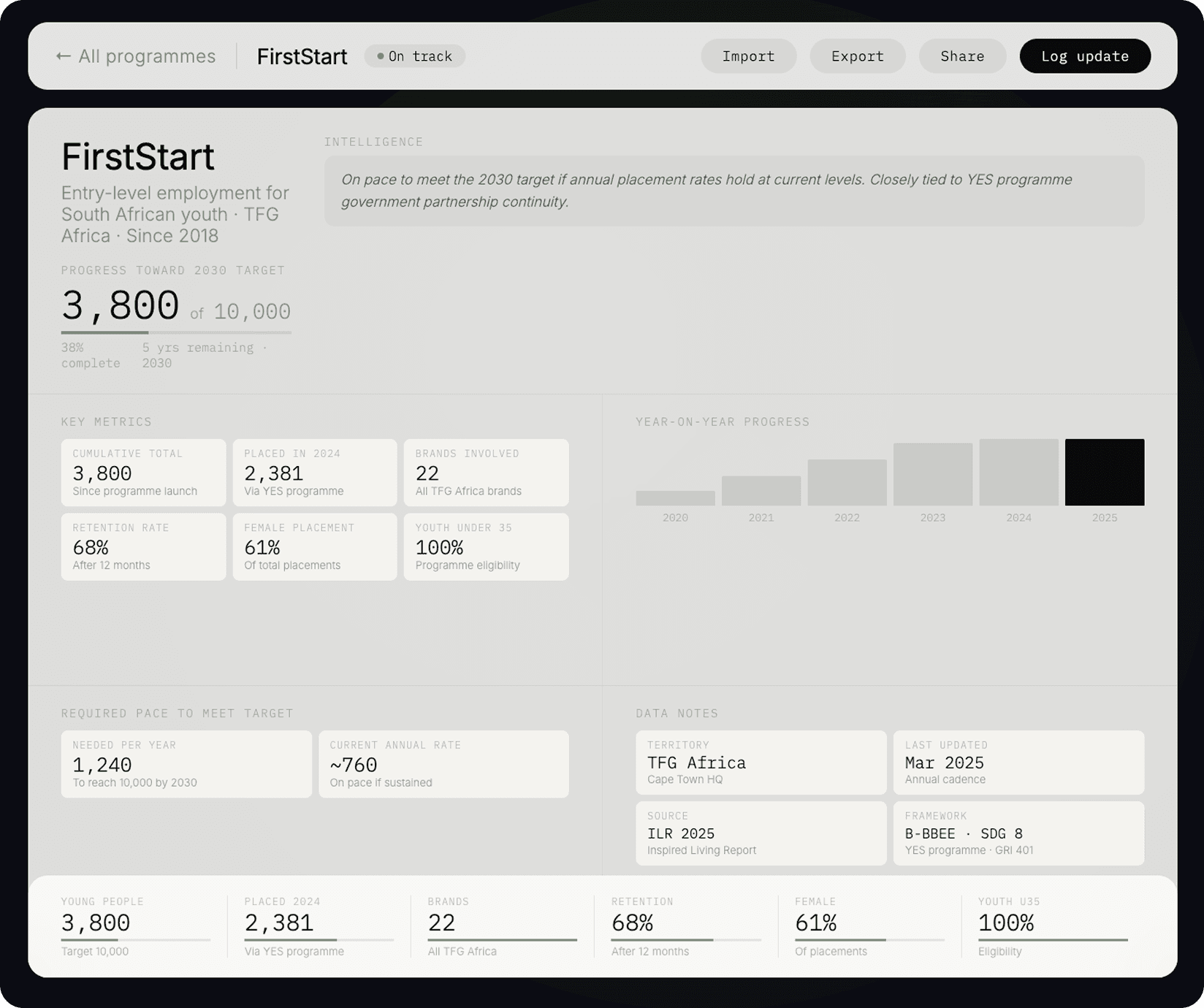
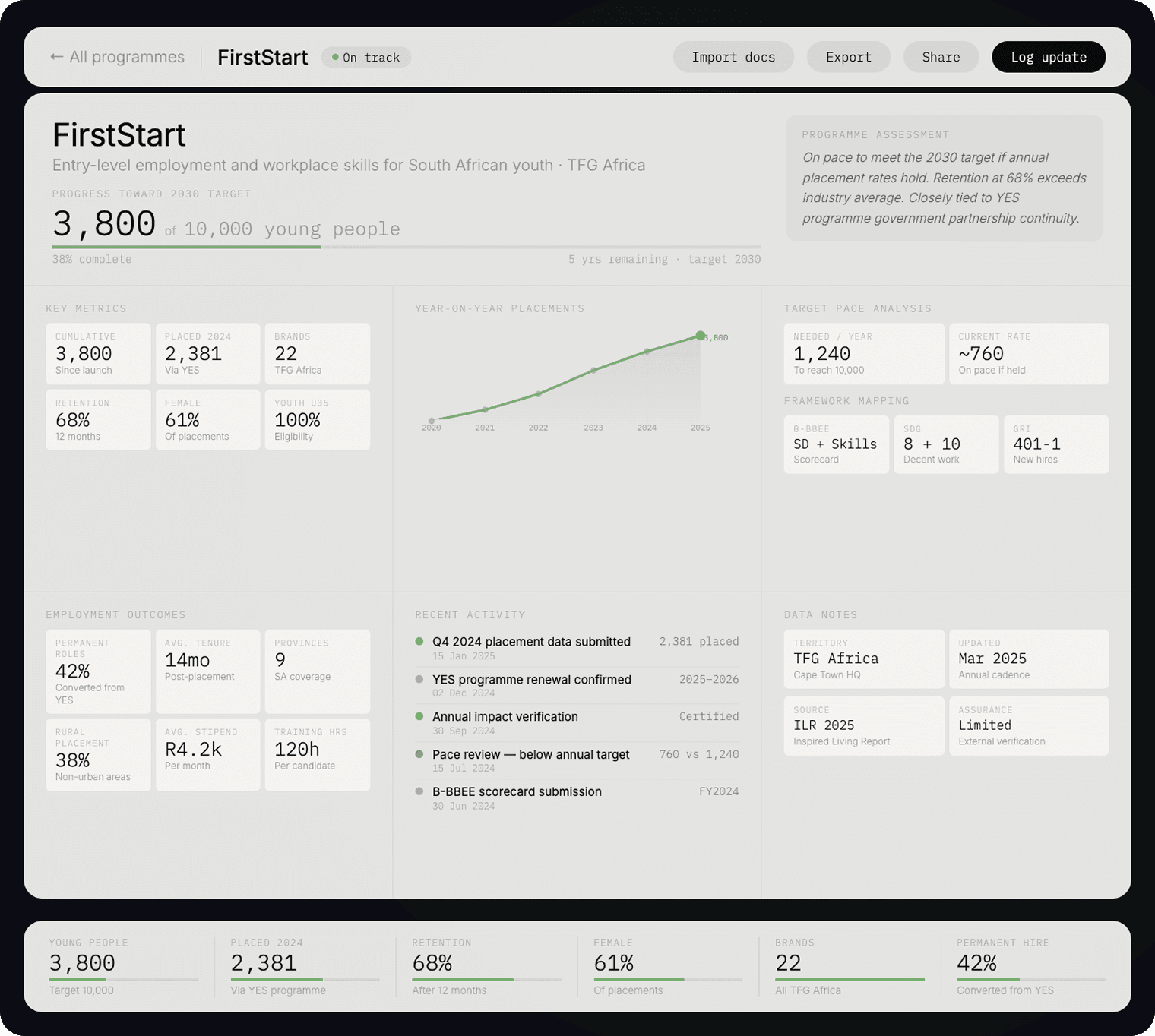
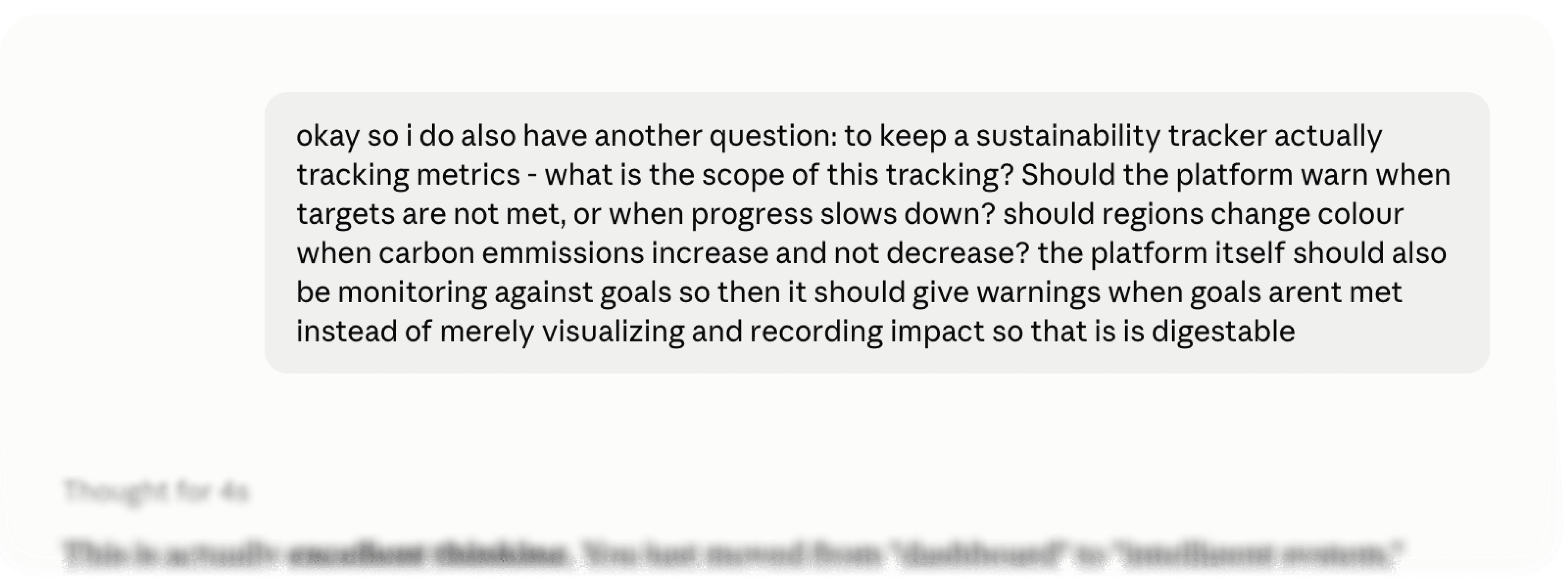
Five iterations on the landing page, three on the programme view, all in chat before any code was written. Getting the direction settled first meant the build was execution rather than exploration.
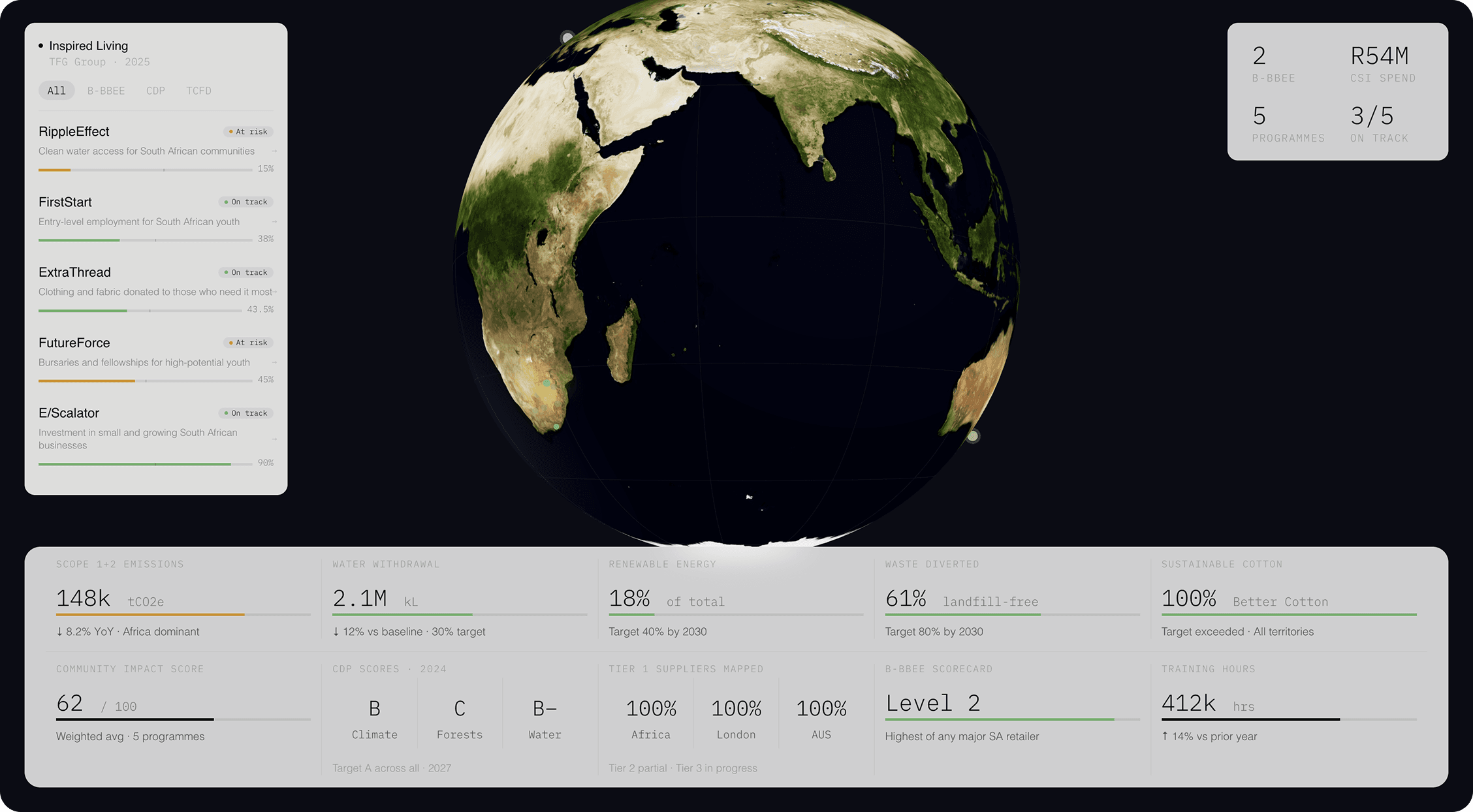
Landing screen
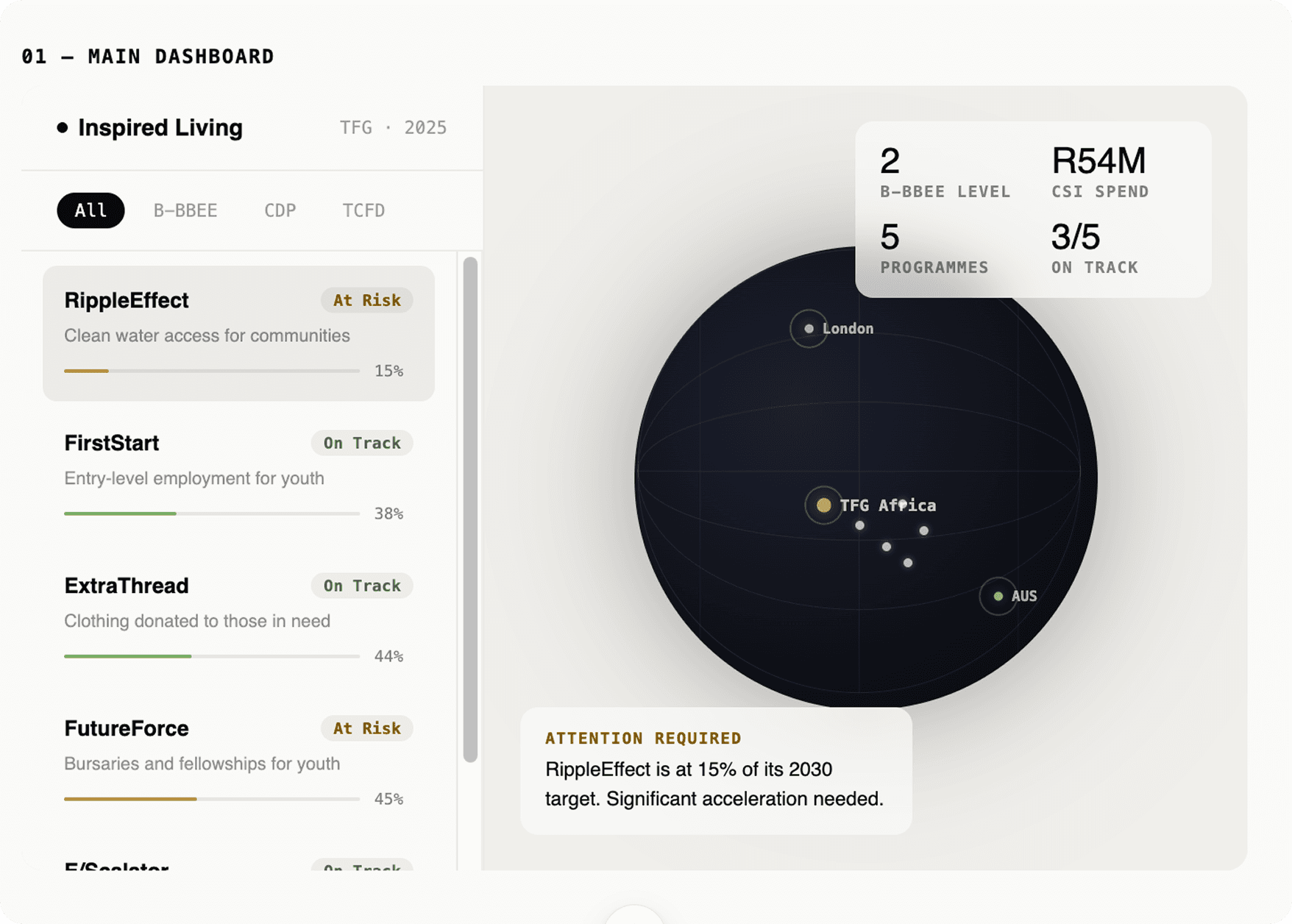
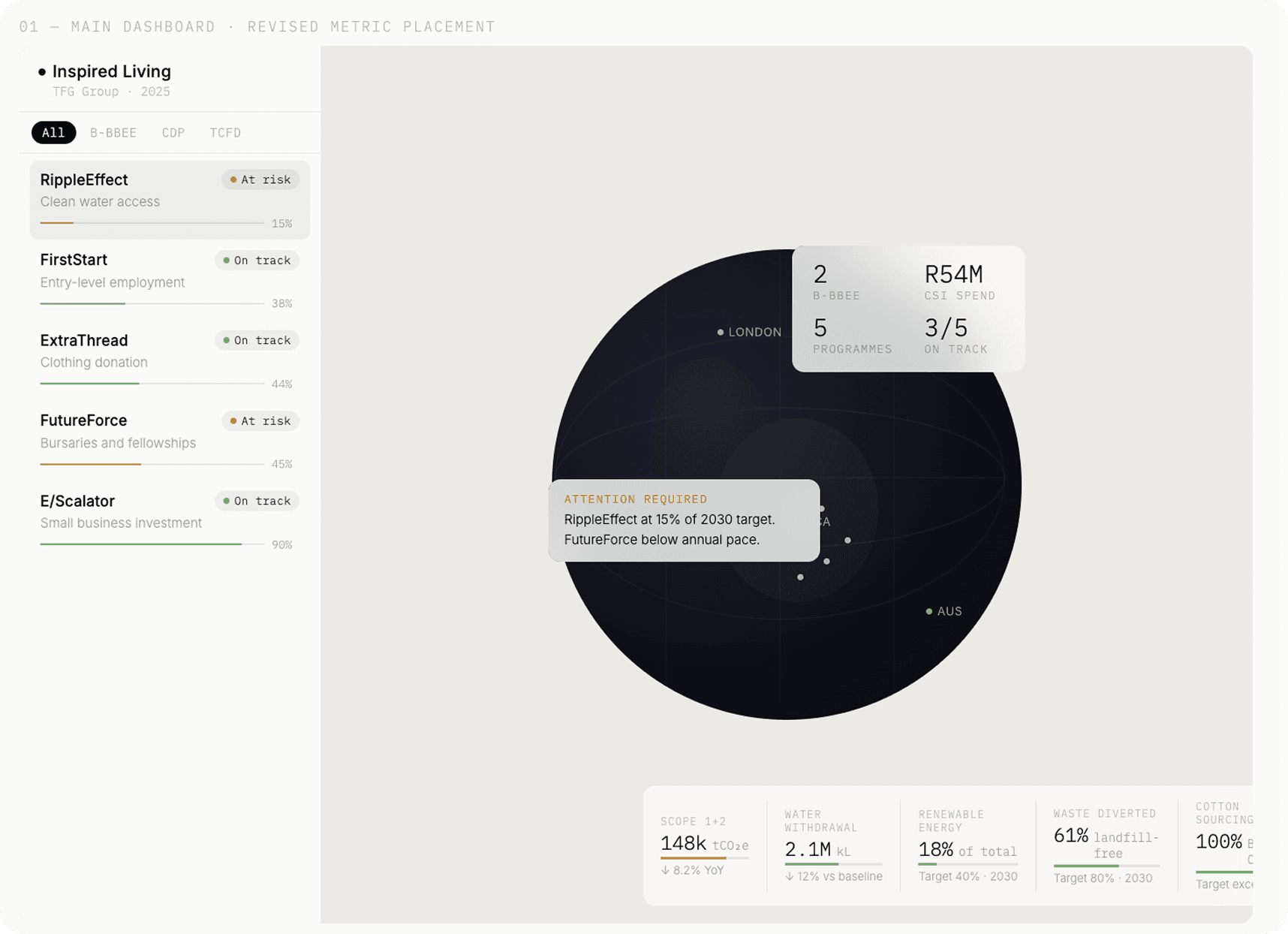
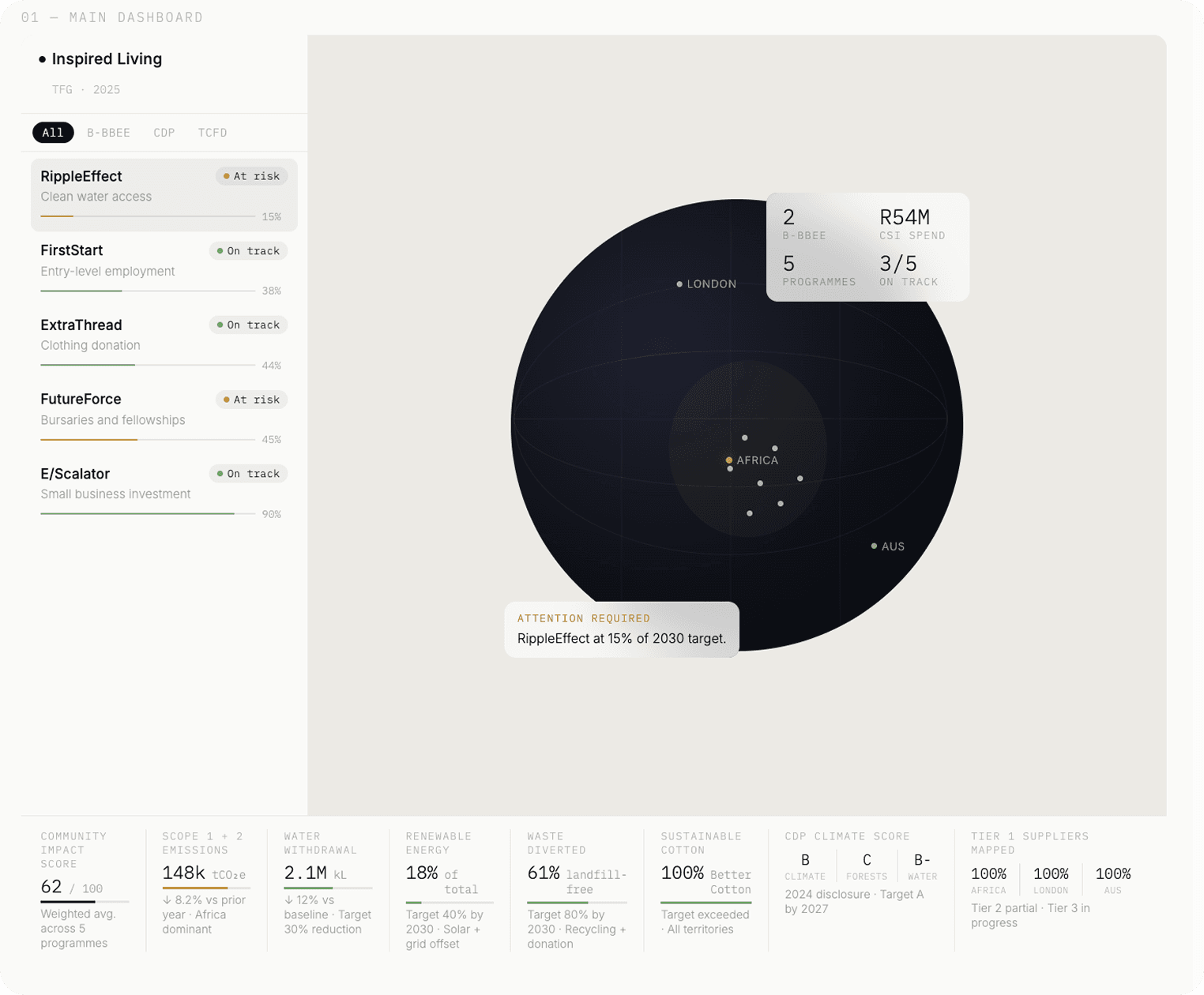
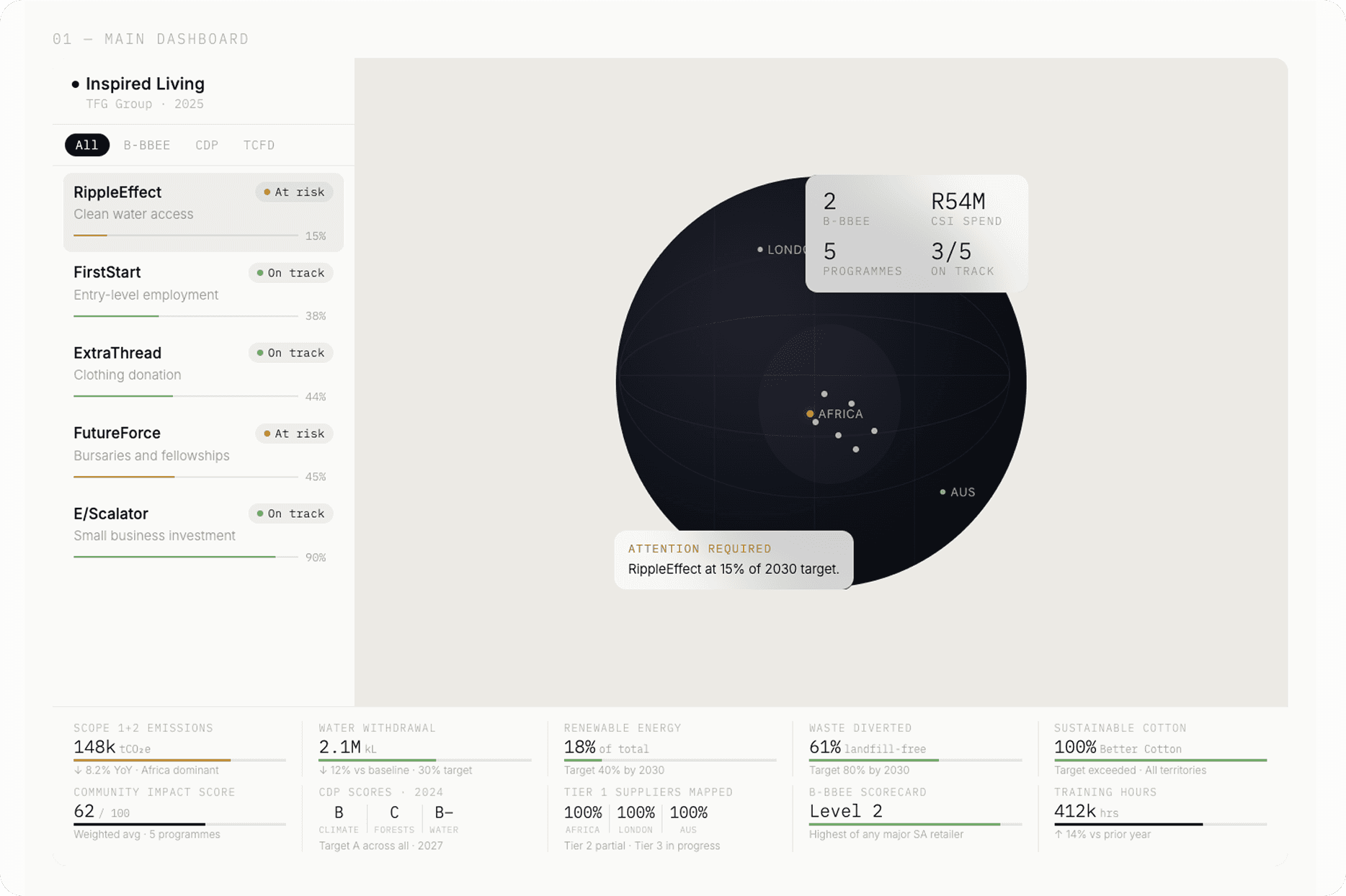
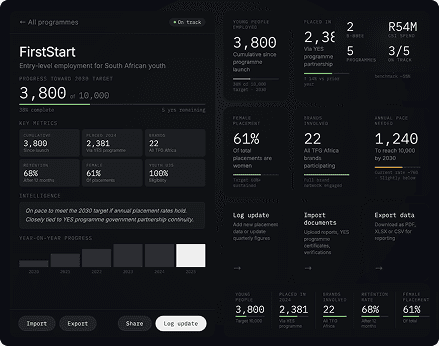
Programme detail view
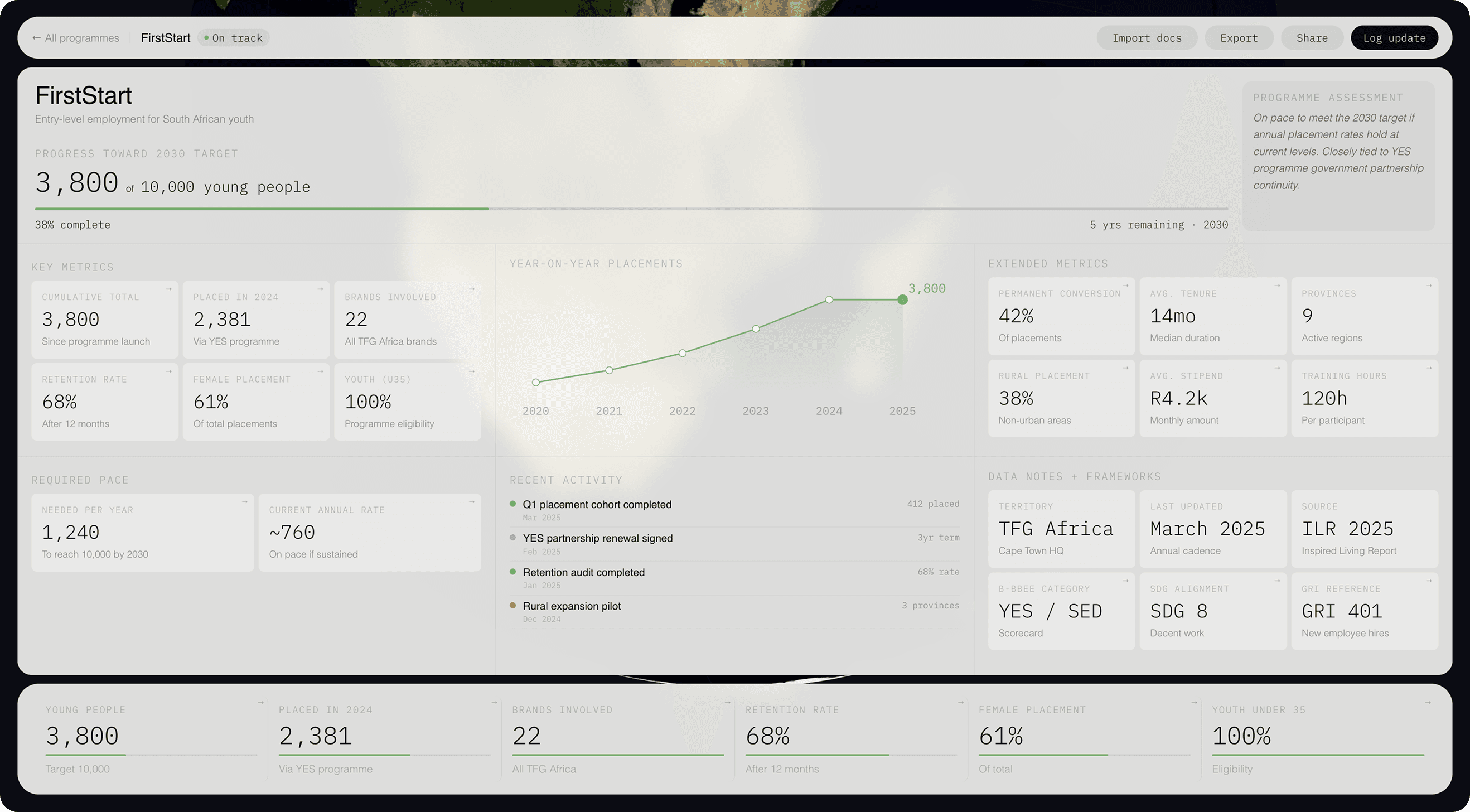
Nine passes before a line of code was written.
This prompt shifted the product from displaying numbers to actively tracking progress against targets.
The pace indicator and attention panel came out of this.
08 / The build
The build ran in six phases, and the rules were written before any of them started.
P1
Turn the public reports into structured data
The 2025 report pulled apart into five programmes, their 2030 targets, environmental metrics across three territories, and six frameworks. Then a scan of the ESG platform market: Workiva, Nasdaq Metrio, KEY ESG, SustainIQ. All built for disclosure. None of them tell you where a borehole is. That was the gap.
P2
Run the user interview without a user
Twelve sections, sixty eight questions, answered from public material and pressure-tested against what TFG actually discloses.
P3
Write the rules before anything got designed
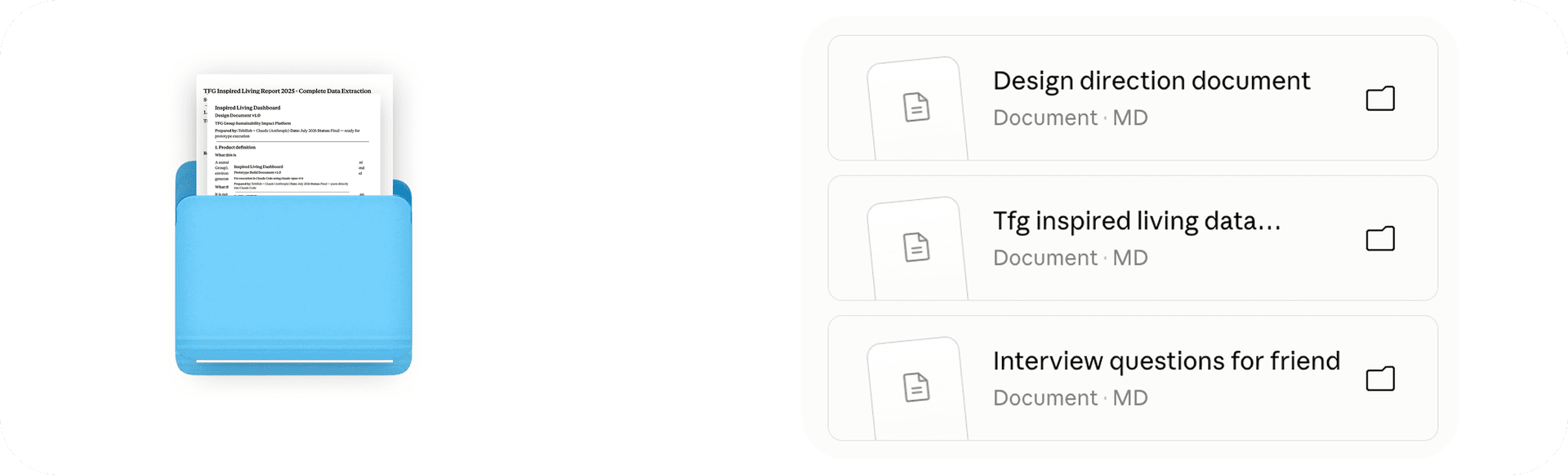
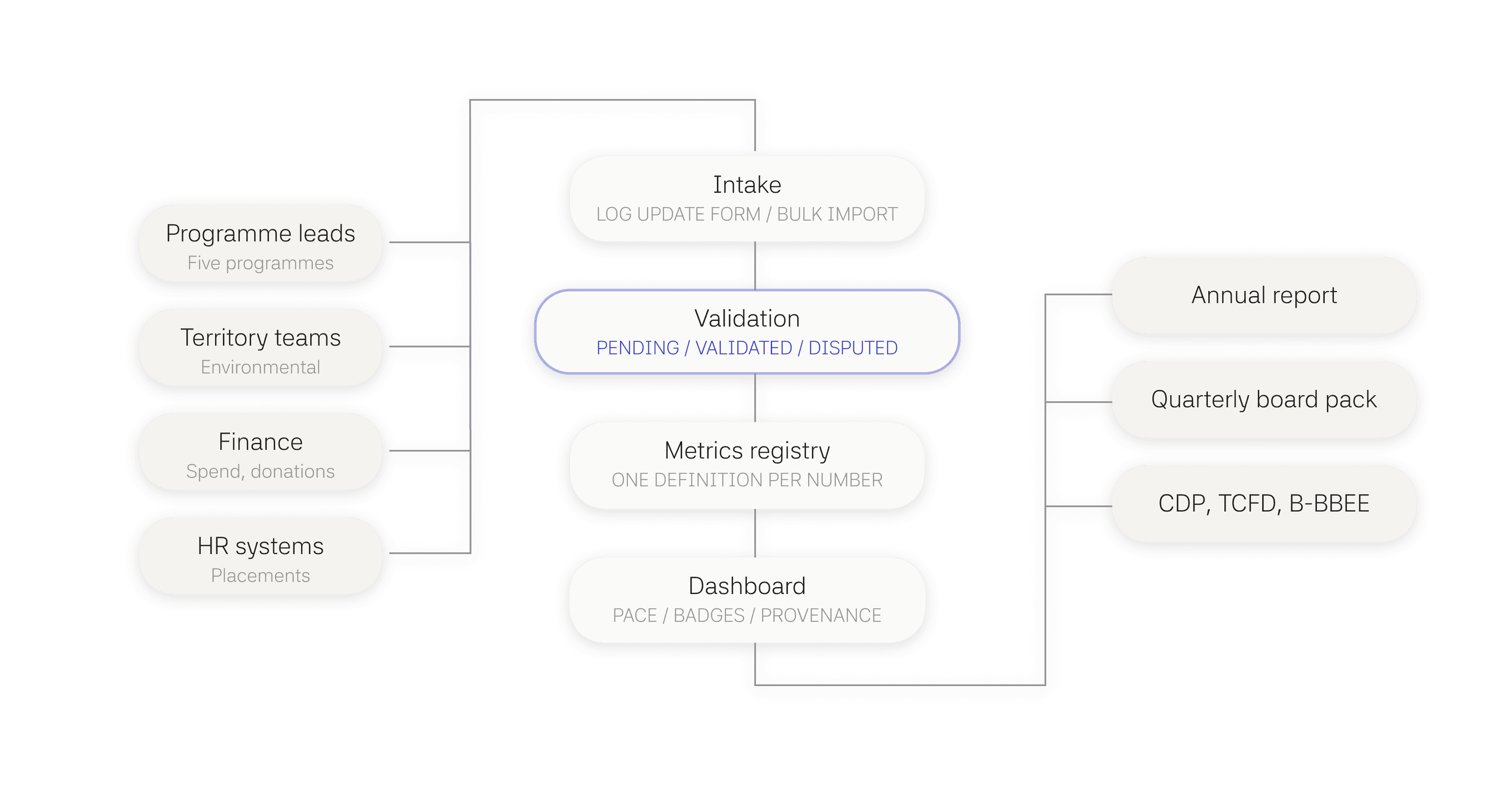
Four files: research findings with every item labelled, the design direction, the three-level information architecture, and a metrics registry defining every number once. The registry is why nothing in the interface is inconsistently clickable.
P4
Build a rough version fast, to get the globe wrong early
React and Three.js in chat, at least three mockup iterations per page. Three decisions came out of it: pins sized to people served, a list view as a second way in, and the globe only where geography is real.
P5
Run the real build in nine scoped sessions
Foundation components. Globe with territory markers and borehole pins. Overlay panels. Metric strip. Programme detail. Borehole detail. Log impact form. Micro-polish. Metric drawers and the framework glossary. Roughly a third of what came back got rejected.
P6
Audit what I had built and fix it
Naming inconsistencies, dead code, opacity token consolidation, keyboard accessibility, a full responsive pass, and the pace indicator. I routed the work by model: the reasoning-heavy one for the audit, the faster one for cleanup.
09 / The design system
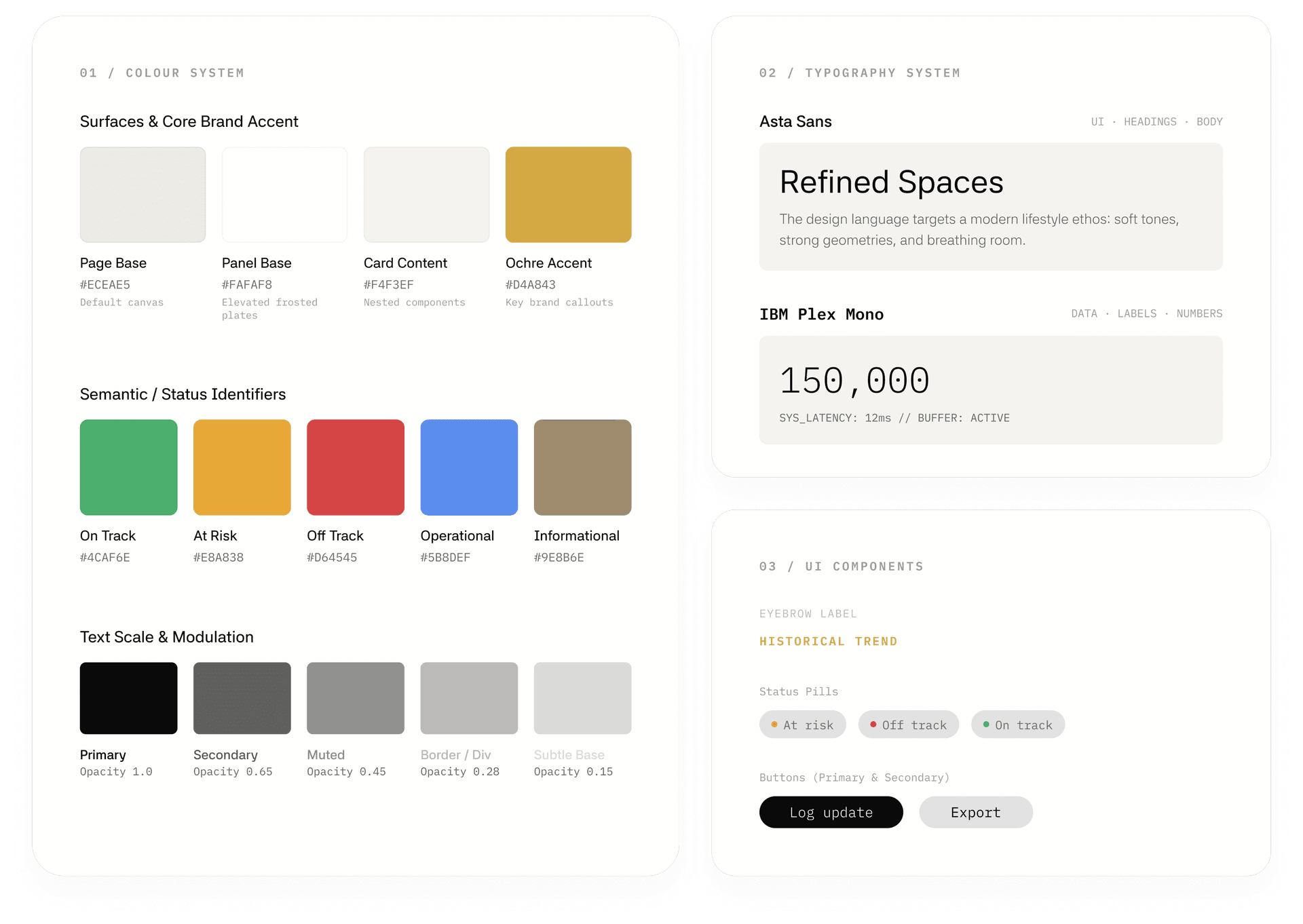
Four surfaces, two typefaces, one accent, and colour that only ever means status.
I wrote it before any interface existed and put it in a markdown file the build read directly. Then I iterated the visual direction in chat first, mocking up layouts and reacting to them, so the look was settled before a build session ever ran. The file is what I sent every drifting build back against.
10 / The design
A working tracker for the sustainability team, not another disclosure page.
TFG already publishes its numbers and analysts already have an ESG portal. Another read-only page wasn't needed. This is a running tracker, updated as figures arrive rather than assembled once a year.
View the click-through prototype
11 / Design decisions
01 One connected panel, not a grid of cards
A grid treats everything equally, but it isn't. A sustainability manager thinks in a hierarchy: programmes, then metrics, then data points. So it became a single connected panel that flows from overview into detail. Programme order is fixed, not sorted by performance, so a manager finds RippleEffect in the same place every time.
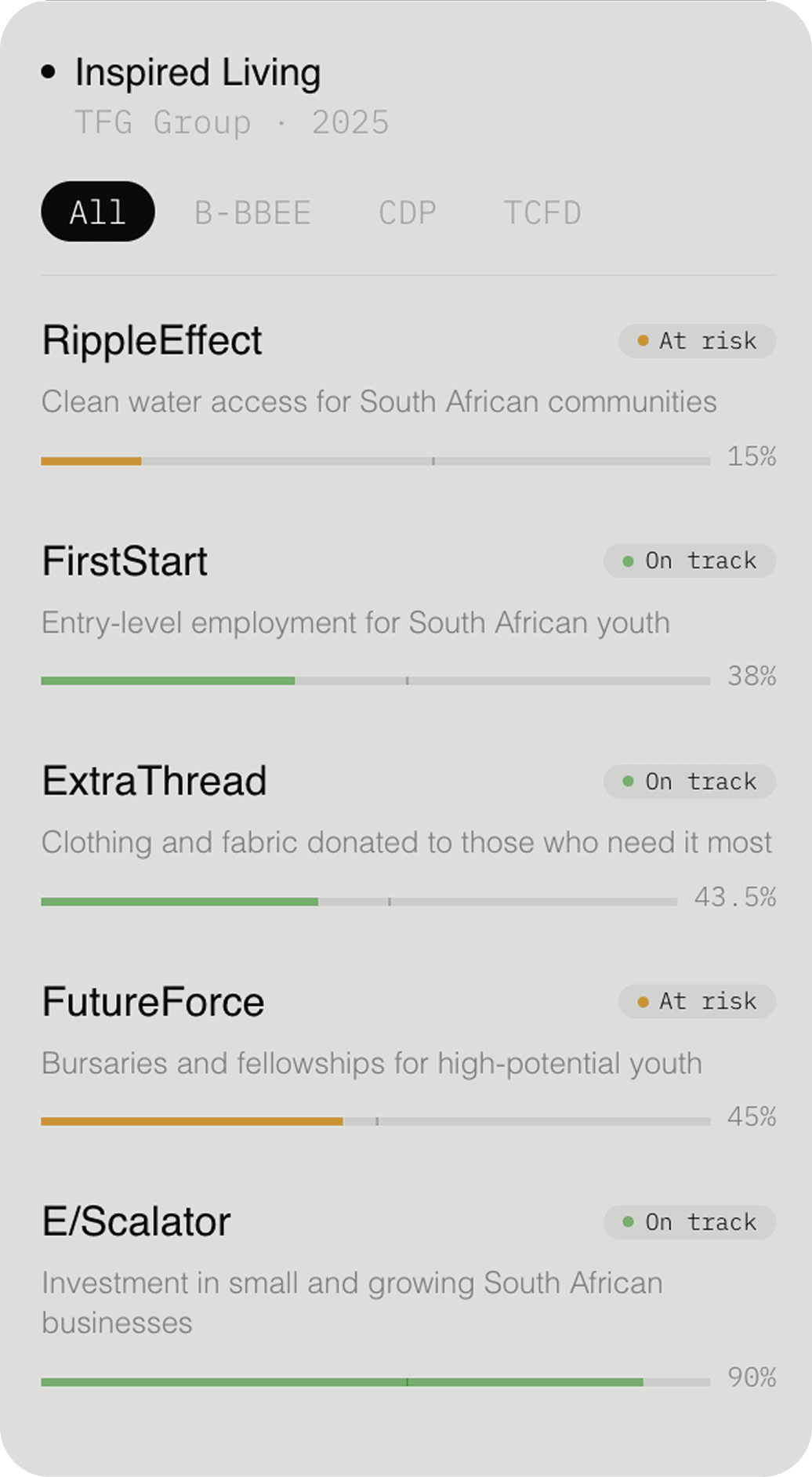
The connected programme panel
02 Pin size is the data
Every borehole could have been the same dot. Instead pins are sized to the number of people served, so you read impact density across the country before you read a single number. The scale is square root rather than linear, because the eye judges circles by area and linear sizing would make larger sites look several times more significant than they are. Sizing sits at province level, where the spread is real.
Pin size interaction
03 The pace indicator
RippleEffect sits at 150,000 people against a target of one million. A normal progress bar shows you fifteen percent and stops. So I added a second mark to every bar: a thin line at the point the programme should have reached by now. RippleEffect is at 15 percent of its target and 58 percent of the way through its timeline. The gap between the fill and the line is the whole insight, and you read it in about a second. On Track and At Risk are that gap, put into words.
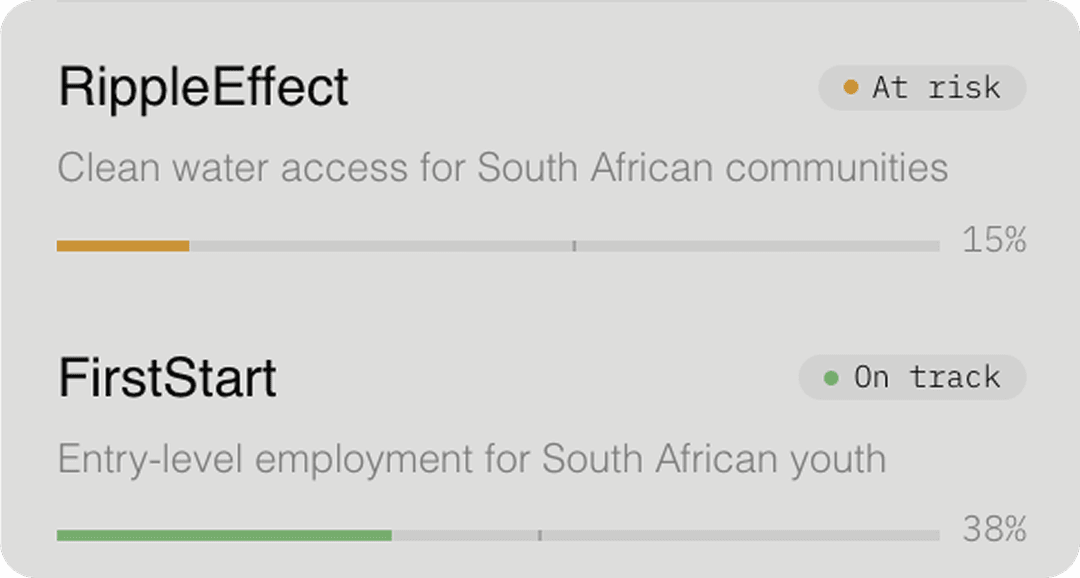
The pace indicator and its badge
04 A glossary that explains itself
Sustainability managers think in frameworks: B-BBEE, CDP, TCFD. So the framework chips are more than tags. Each one opens a short explainer: what the framework is, why this programme maps to it, and what else maps to it too.
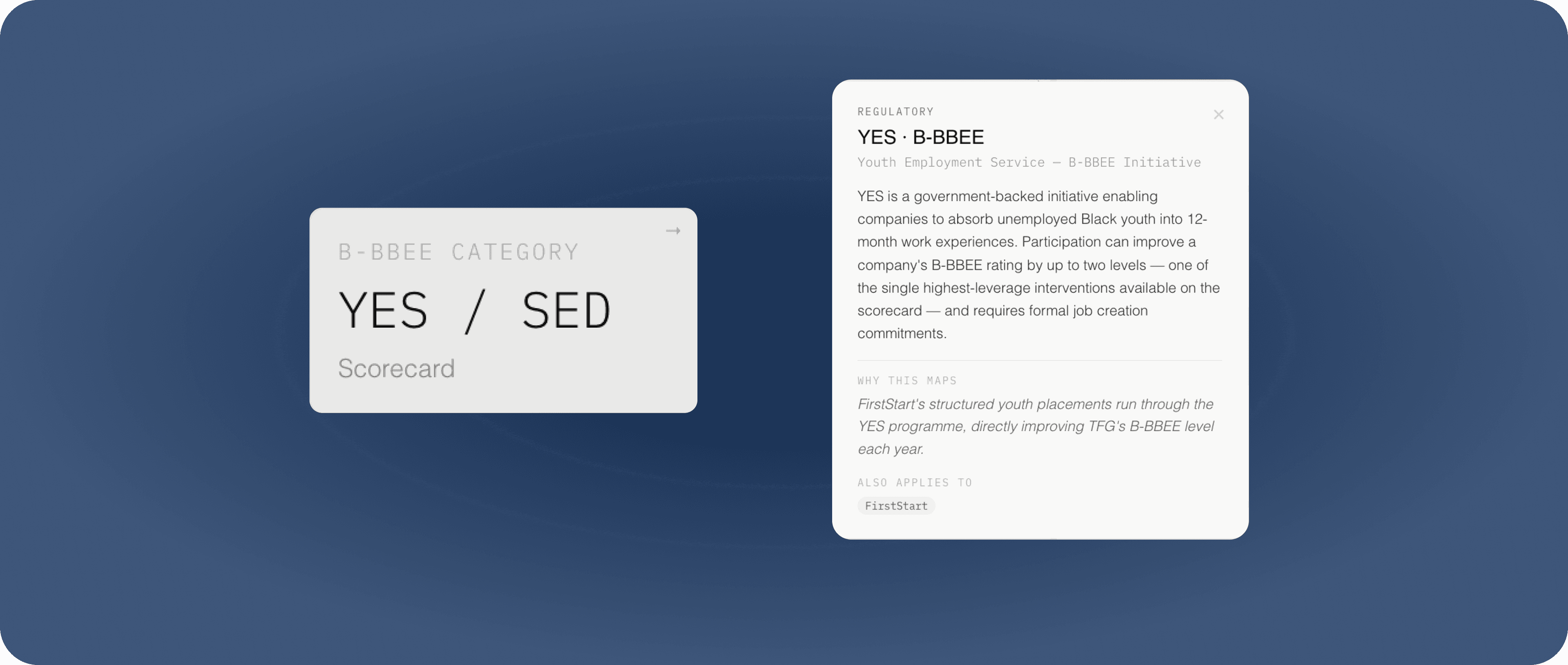
The framework glossary
12 / What I turned down
Three features I cut and why.
C1
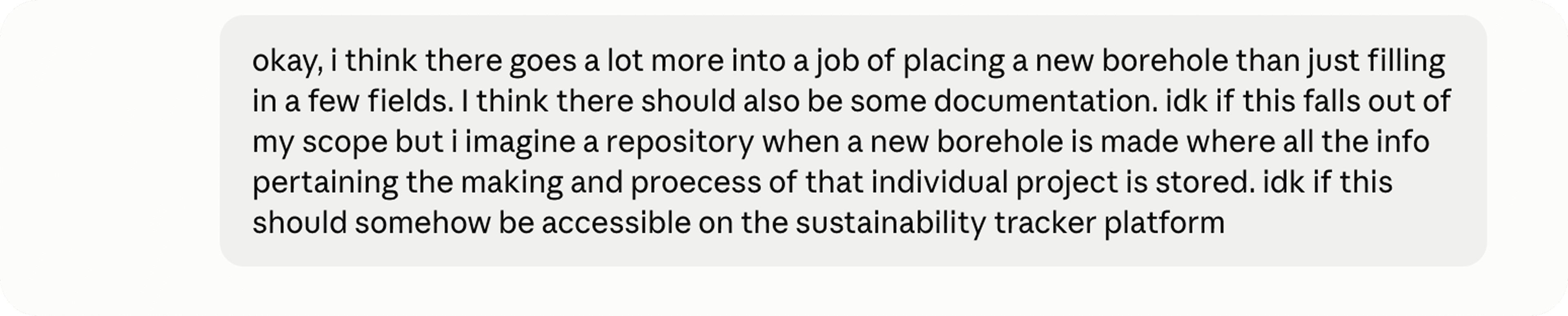
A project repository per borehole
The RippleEffect project manager needs to run the borehole. The sustainability manager only needs the result. Building both would have made it good at neither. What stayed is the provenance data, not the project management.
C2
The full data-entry platform
I started with view, add, edit, filter, export — and the research contradicted it. This user receives data already validated by programme leads. A full entry system would duplicate governance that already exists elsewhere. It became a visibility layer on top of the existing systems.
C3
Forecasting
It kept getting proposed, but you can't draw a meaningful trend line through one data point a year. The badge shows the current gap to target and stops there.
13 / What’s next
Three things I would do before I called this finished.
N1
Validate the assumptions
Take the flagged assumptions to a sustainability professional and see which ones hold. The dashboard is built so that if one is wrong, the fix stays small. The provenance layer changes, the rest does not.
N2
Add a data-feeding layer
The data is hardcoded from the 2025 report. A real version needs a proper data-entry pipeline with role-based access, which is as much a governance question as a design one.
N3
Design the mobile version
The layout was built desktop-first, for the screens this tool actually lives on. A mobile version is the next pass.
The AI handled the building. The thinking was still entirely mine.