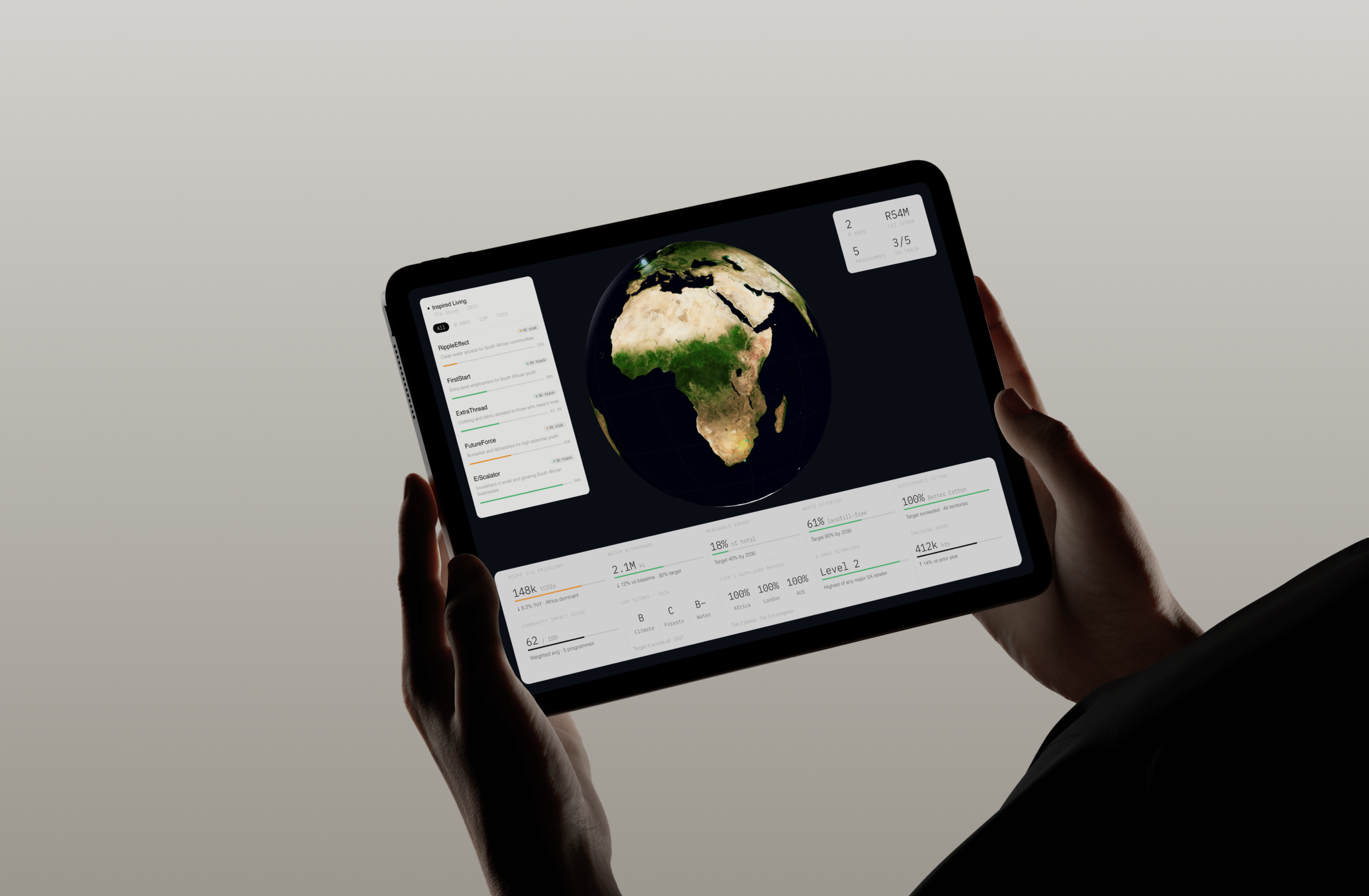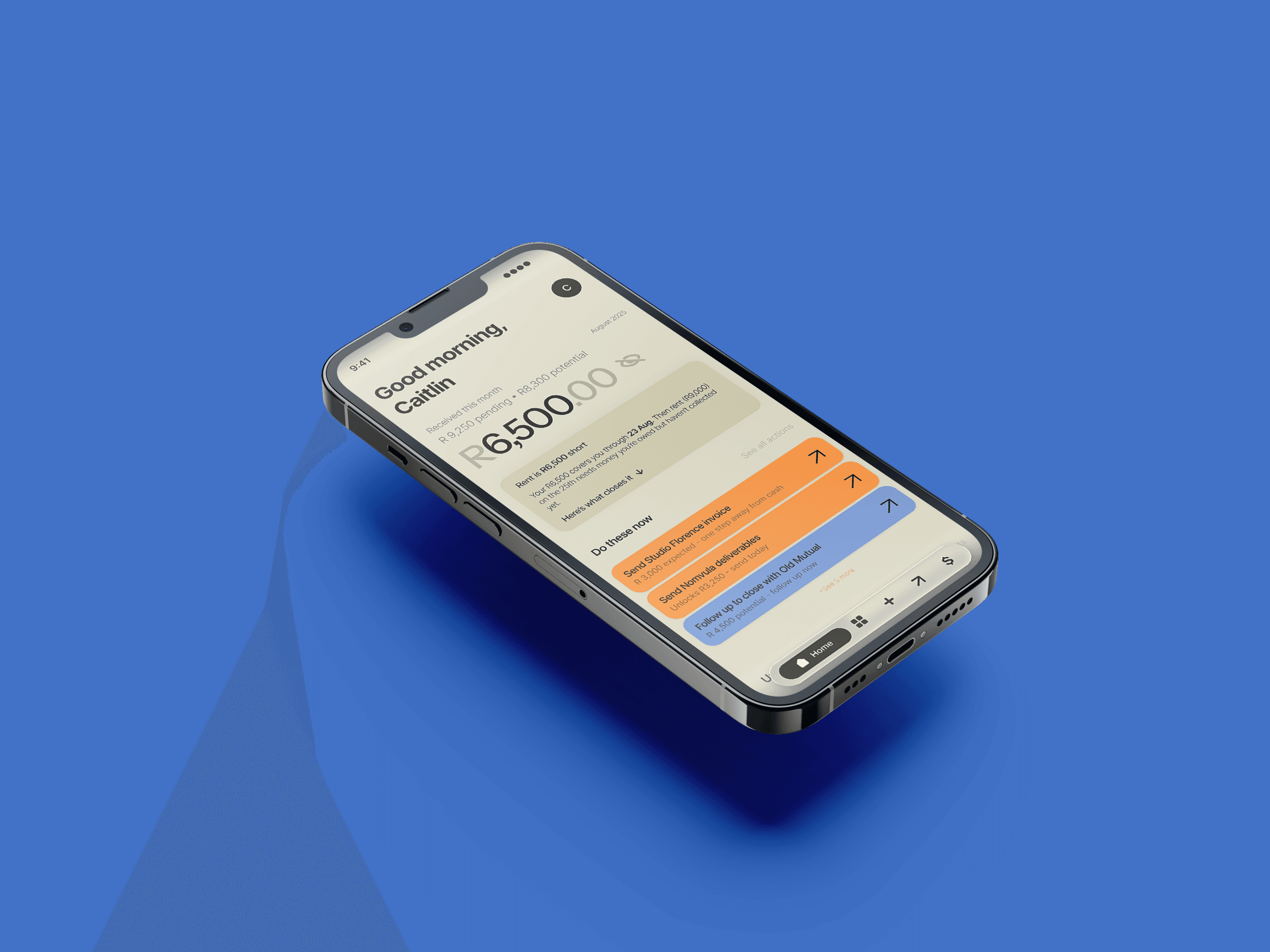
Stint is a mobile app that answers three questions for freelancers: how much could come in, how much is actually mine, and what to do right now.
A financial command center for people who never meant to run a business.
Prototype
01 / Context
Stint is only the money and the next move, not a CRM, not bookkeeping, not project management.
It answers three questions for a freelancer: how much money could come in, how much is actually mine, and what the hell do I do right now. Everything that does not serve one of those three questions was left out on purpose.
02 / The problem
Most freelancers are sitting on money they have already earned.
It is stuck in an unsent invoice, an undelivered file, a follow-up they keep meaning to send. Stint shows a freelancer where their money is, and what to do next to collect it.
So I stopped organising by project and started organising by month.
03 / Three questions
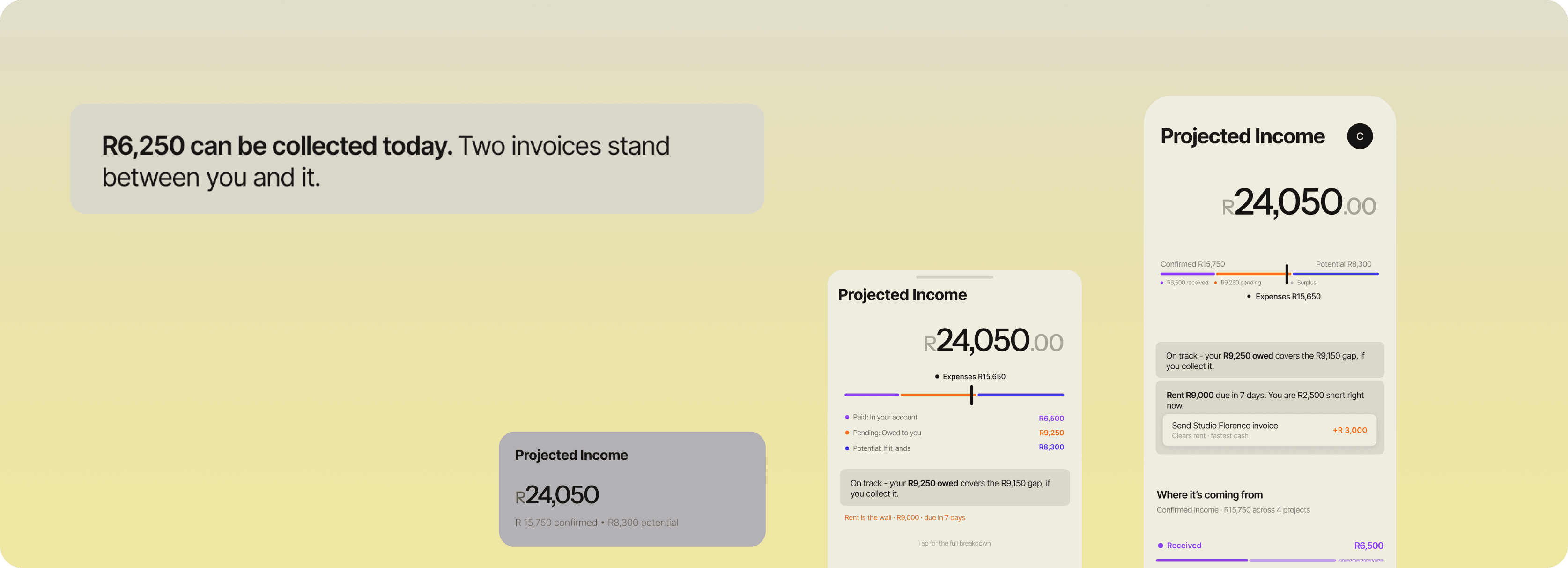
Three questions became three cards: Projected Income, Confirmed, and Opportunities.
Each card answers one question. Nothing overlaps, so a freelancer never has to work out which card to look at.
04 / The pattern
Collapsed shows the total. Expanded shows what to do next.
All three cards follow the same structure. Collapsed gives you the number, expanded gives you the breakdown and actions.
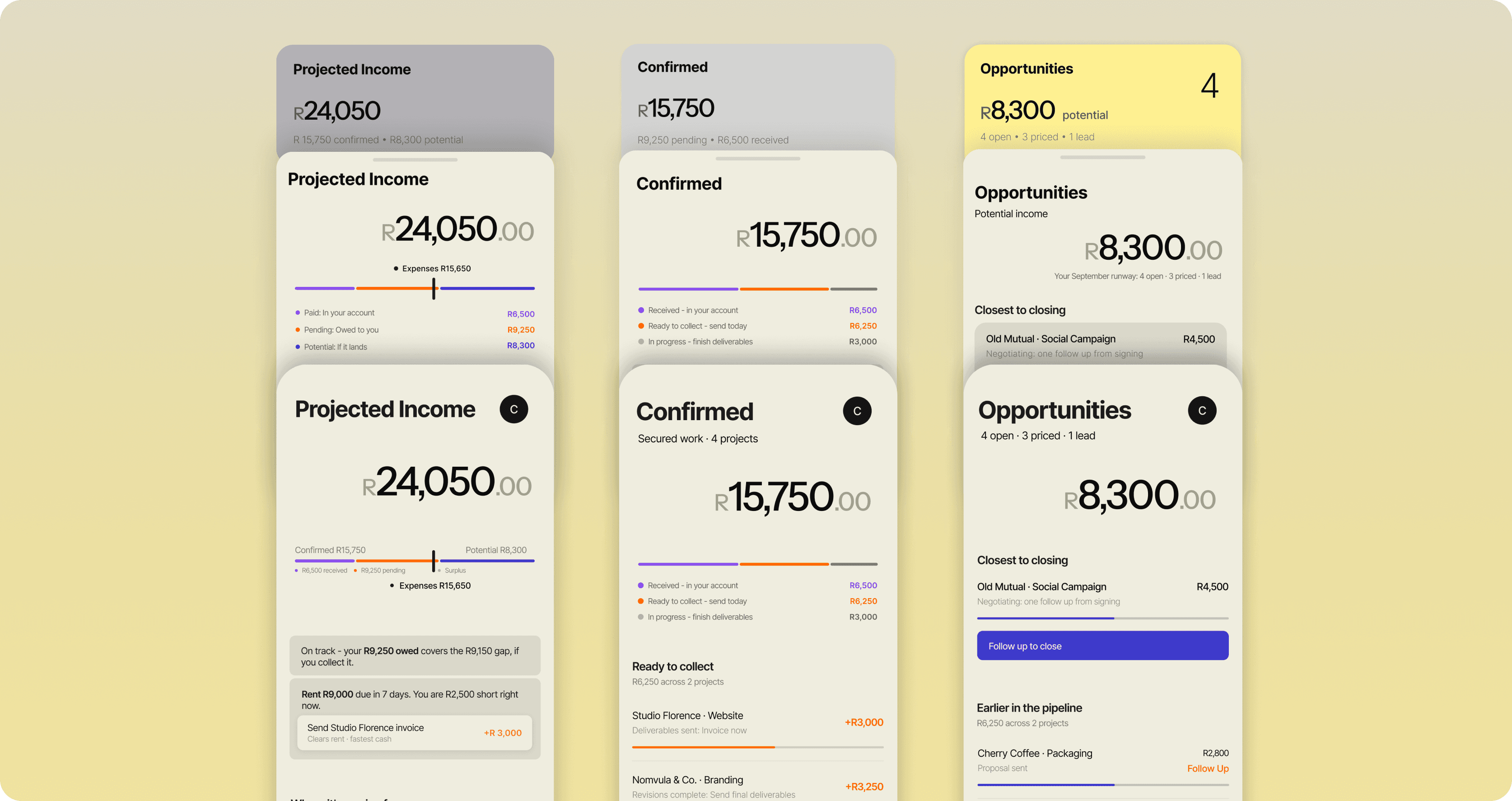
Projected Income
How much money could come in?
Confirmed and potential stacked into one number at the top. Expanding it shows whether this covers the month's expenses, then breaks down where the money is coming from.
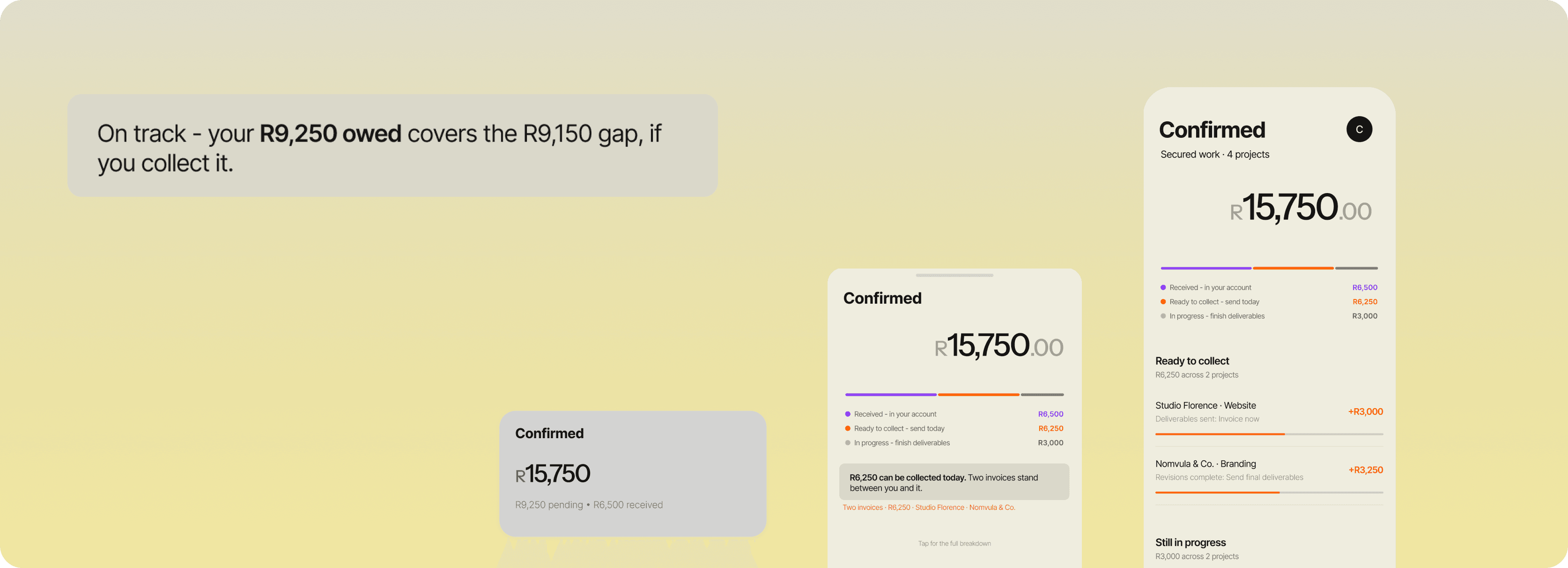
Confirmed
How much money is actually mine?
Grouped by collection stage, not by client. Ready to collect sits above still in progress, so actionable money is always at the top.
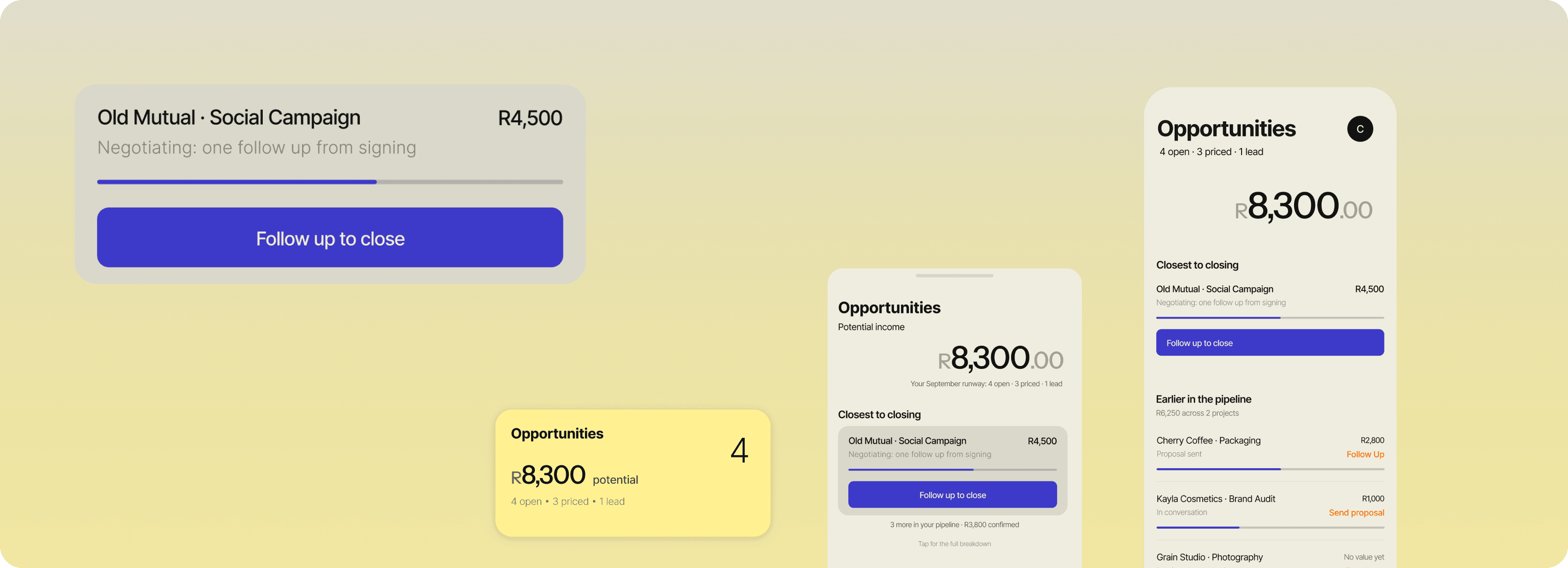
Opportunities
What do I do right now?
Sorted by how close each one is to closing, not by value. The most actionable opportunity is at the top, not the biggest one.
05 / The budget bar
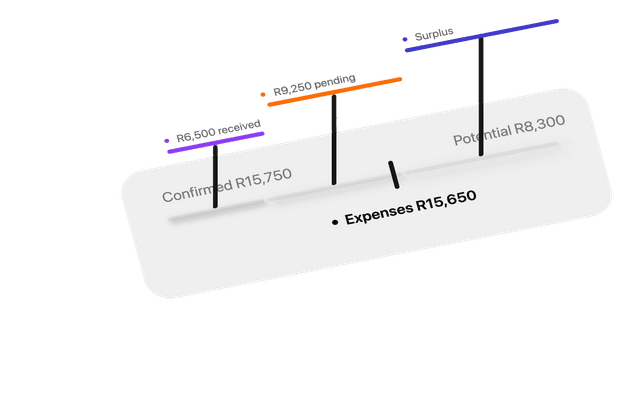
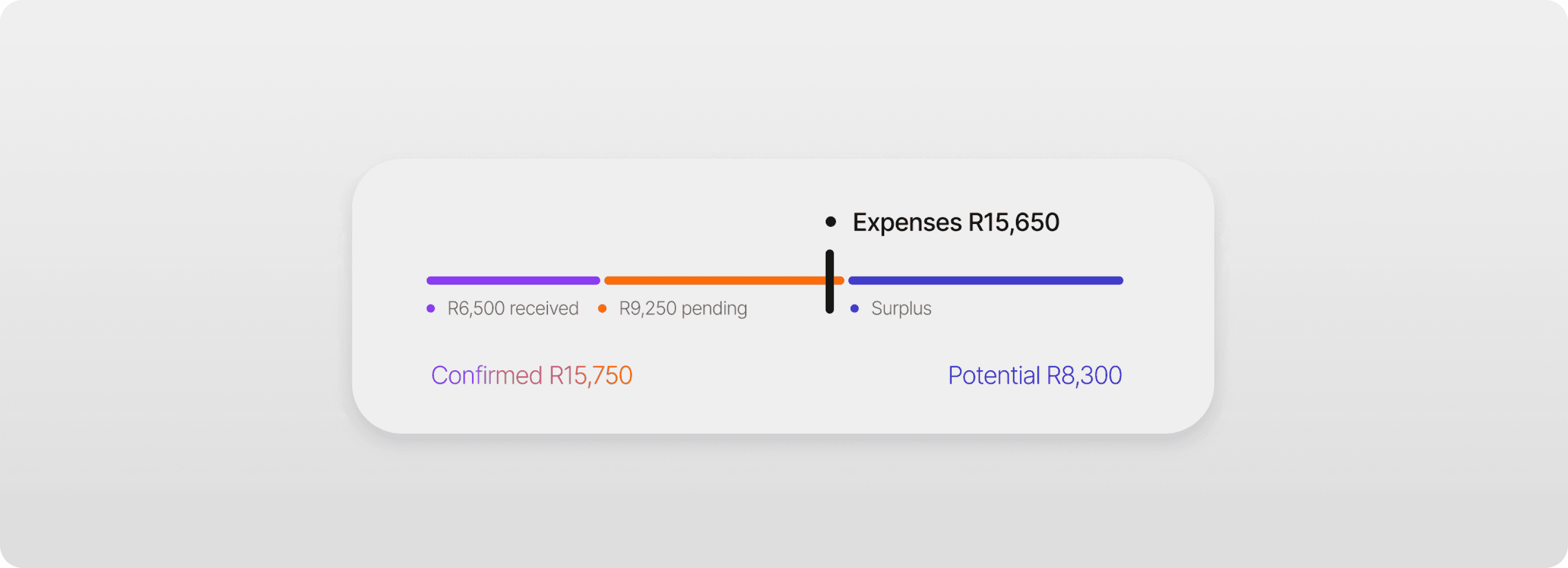
Expenses sit at the top, because that is the number with a deadline.
R15,650 is the monthly target. Below it, the bar splits Confirmed into what has landed and what is still owed, with Potential sitting apart. Colour maps directly to each segment so you can trace numbers between the bar and the cards.
06 / The wall
The wall is computed, not manually tagged.
Expenses stack in date order against the balance until the money runs out. This month, it lands at rent. Collect an invoice and the wall moves automatically.
07 / What is urgent
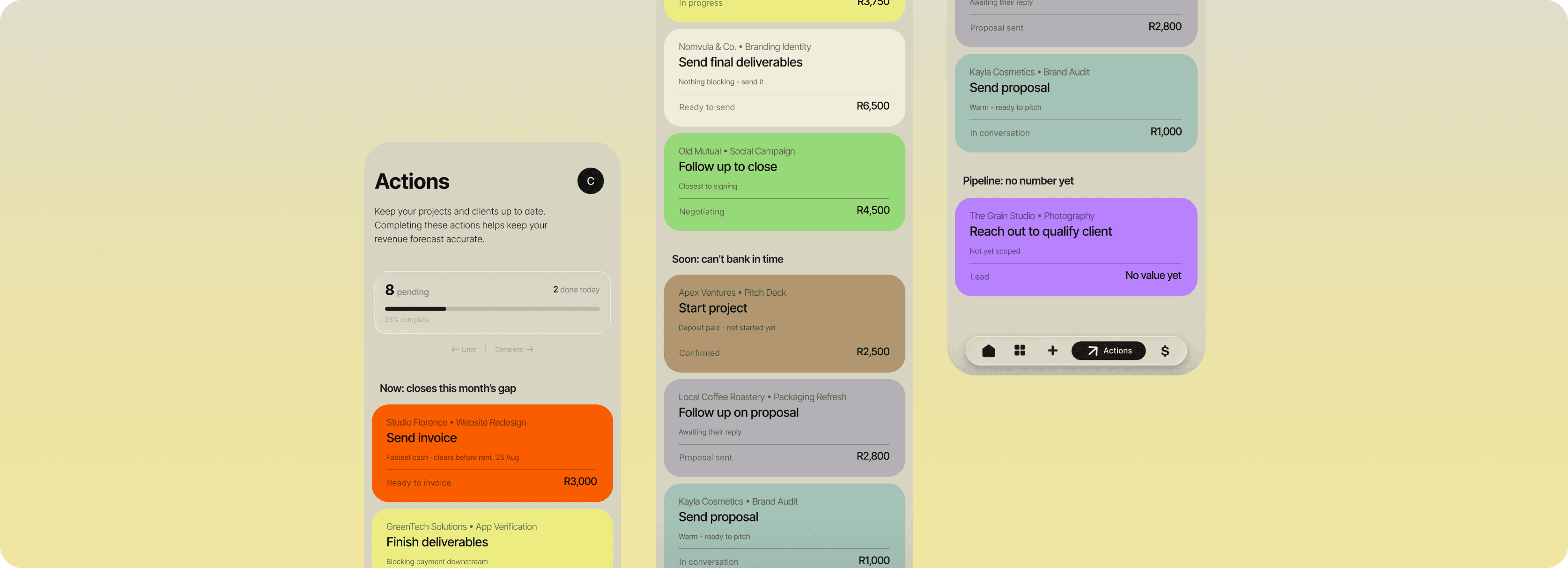
The app ranks actions automatically — there is no sort control.
Actions rank by impact times urgency, grouped into Now, Soon and Pipeline. I considered adding a sort control, but the whole point is that the app handles the prioritisation so the freelancer doesn't have to.
08 / Clearing an action
Swipe right marks it done, swipe left snoozes it, and neither asks for confirmation.
Both fire instantly, because nothing here touches a number. A confirmation dialogue on a gesture this cheap would cost more than the mistake it prevents.
09 / Colour
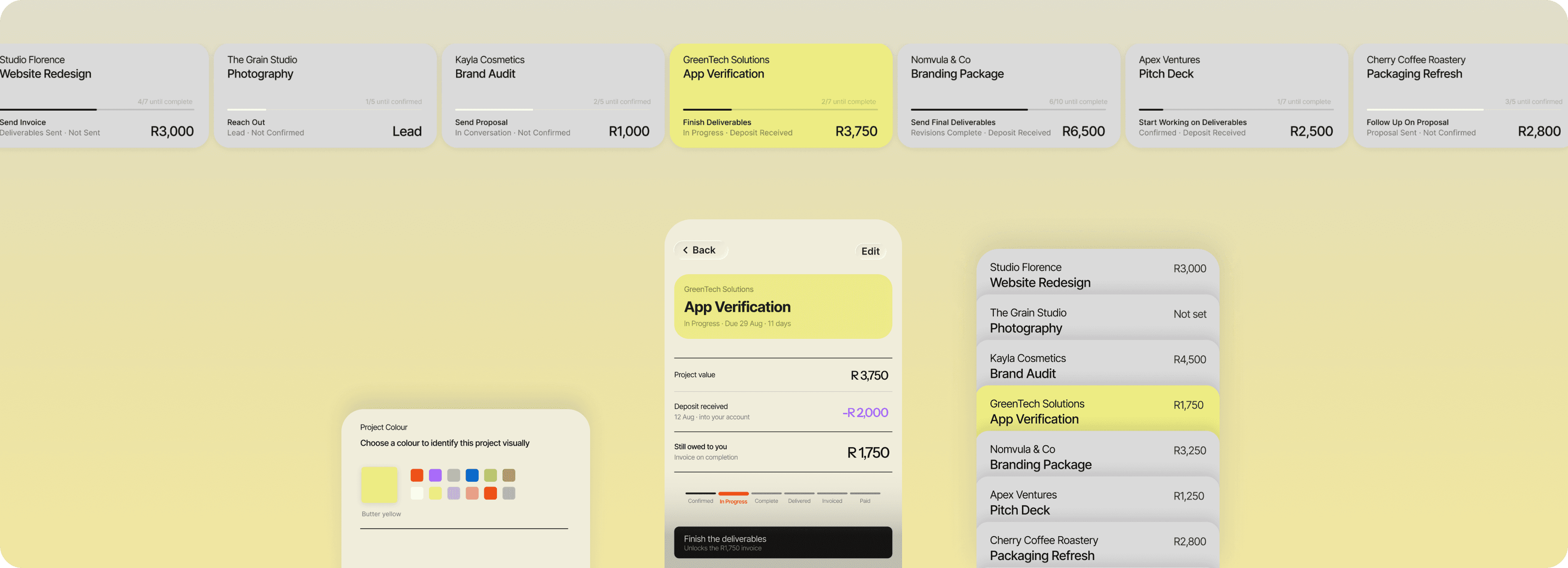
Each project gets a colour, and it carries through the whole app.
Pick a colour when you create a project and it follows that work everywhere: the pipeline, the actions list, anywhere it shows up again. Reuse it across a client's projects, or give each one its own. Urgency uses a separate visual channel so project colour and priority don't clash.
10 / The pipeline
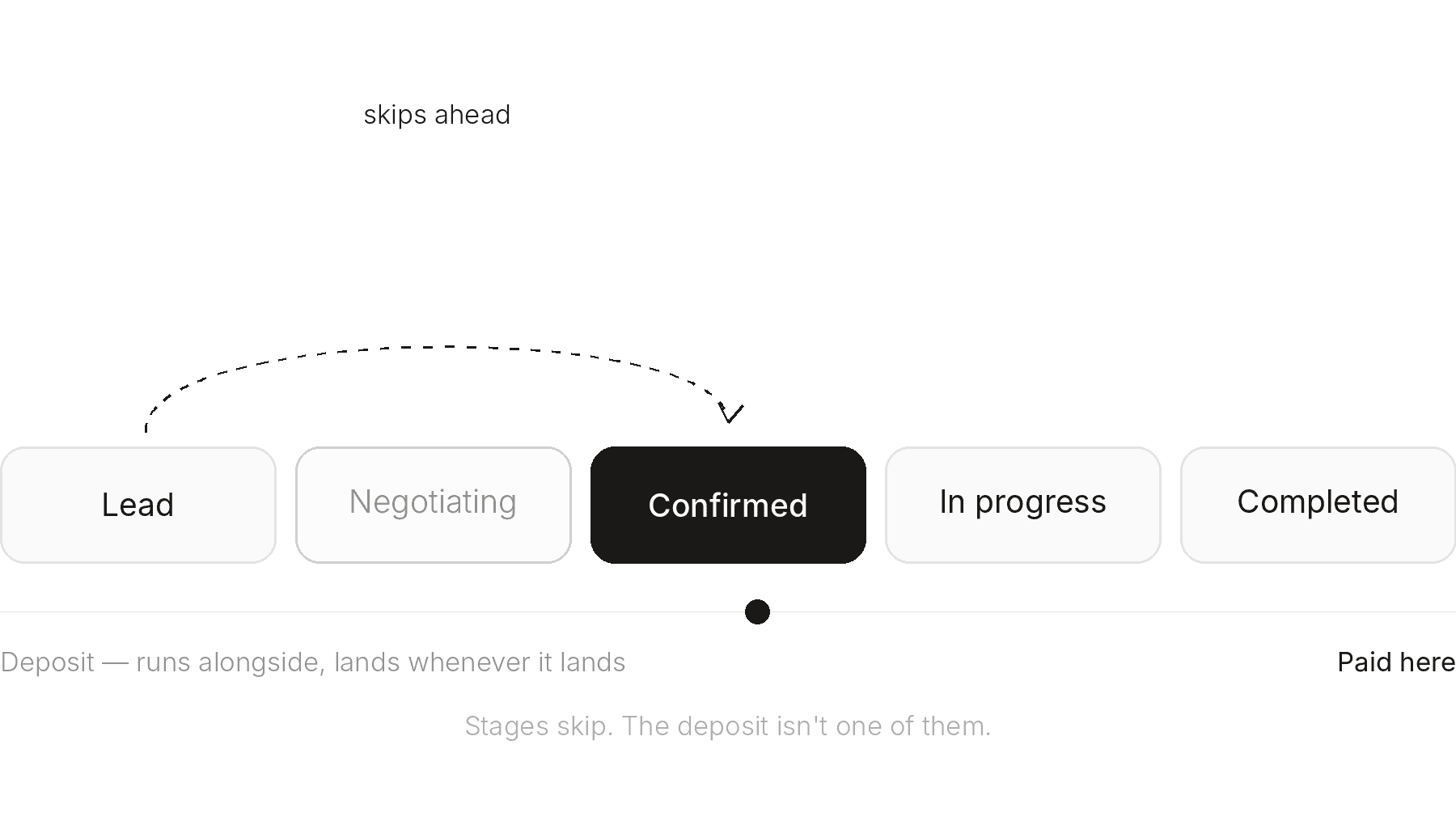
Deposits run alongside stages, not as one of them.
A lead can jump straight to confirmed. A project can be complete before it is ever formally in progress. And a 50 percent deposit is not a stage — it runs alongside the whole timeline, landing whenever it lands. Tying it to one moment would misrepresent where the money actually is.
11 / What I learned
Most of the work was deciding what to leave out.
Once I organised the app around a month instead of around projects, the rest of the decisions got much simpler.
Every time the app felt thin, my instinct was to add a control: a sort toggle, a filter, a second view. Almost every time, cutting it made the app clearer.
12 / What’s next
Three things I would build before I called this finished.
N1
Add external income
So the coverage maths is true for anyone with a second income stream.
N2
Add a light intelligence layer
It would learn which clients pay late and when to nudge. The long game is a financial operating system that predicts a shortfall weeks out instead of the day rent is due.
N3
Make stages customisable
Not everyone moves a client from lead to paid the same way. Custom stages would make the pipeline flexible enough to match how each freelancer actually works.
View the click-through prototype
That is Stint. The money, the next move, nothing else.